Bulk Import Devices
Devices can be bulk imported to the Inventory with basic configuration and registration information.
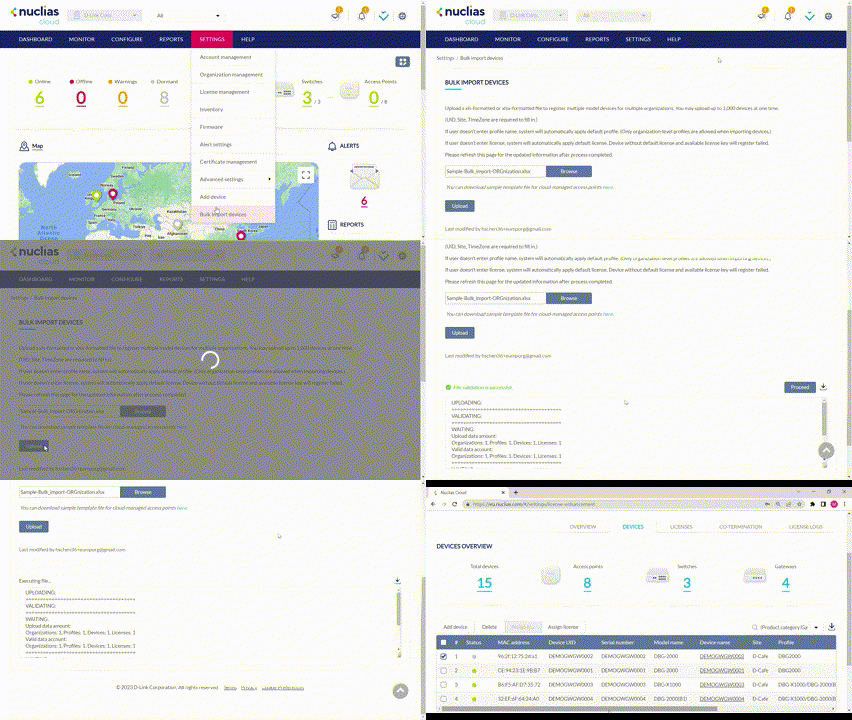
Note: The Bulk Import Devices page is only available to users with the Admin role.
Bulk Assigning Devices with Configuration
- Navigate to Settings > Bulk import devices.
- [Optional] Download the reference sample template. Note that you can add up to 1,000 devices for a single import.
- Click Browse.
- Locate the CSV file containing the UIDs and other required information such as Site and Time Zone (you can also enter Profile assignment and License keys for device registration) as shown in the following example:

- Click Upload.