Change Log
From the Change Log window, you can consult a detailed log of changes to user accounts, profiles, SSIDs, device configurations as well as other related settings such as schedule policies and MAC ACLs, and firmware upgrades.
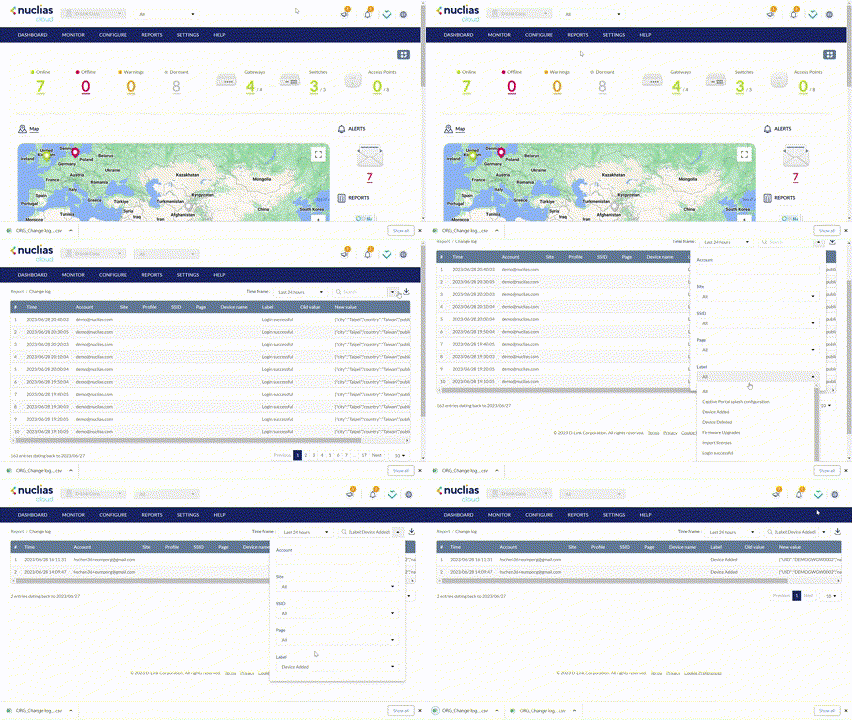
Searching for Change Events
- Navigate to Reports > Change Log.
- [Optional] Select a time frame from the drop-down menu.
- From the change event list, click the Search field.
- Enter a keyword to search in all displayed fields,
- [Optional] Click the filter drop-down menu and enter the following information:
Note:Multiple filters can be populated to narrow down the search result.
|
Account |
Enter the Account name that the event is linked to. |
|
Site |
Enter the name of the Site the event is linked to. |
|
Select the SSID the event is linked to. |
|
| Page | Select the menu page related to the event. |
| Label | Select the label which briefly explains the event. |
Downloading Change Logs
- Navigate to Reports > Change Log.
- From the change log list, click the Download icon in the top-right.
